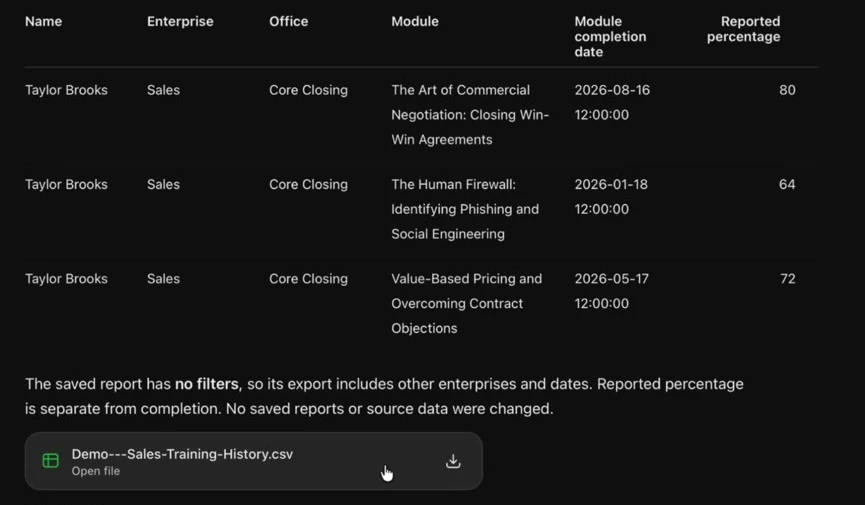
Decide what each row should represent
Start with people, course enrollments, module results, practice activity, or an imported table. Pick your columns, filter or group the results, and open a row to inspect the record behind it.
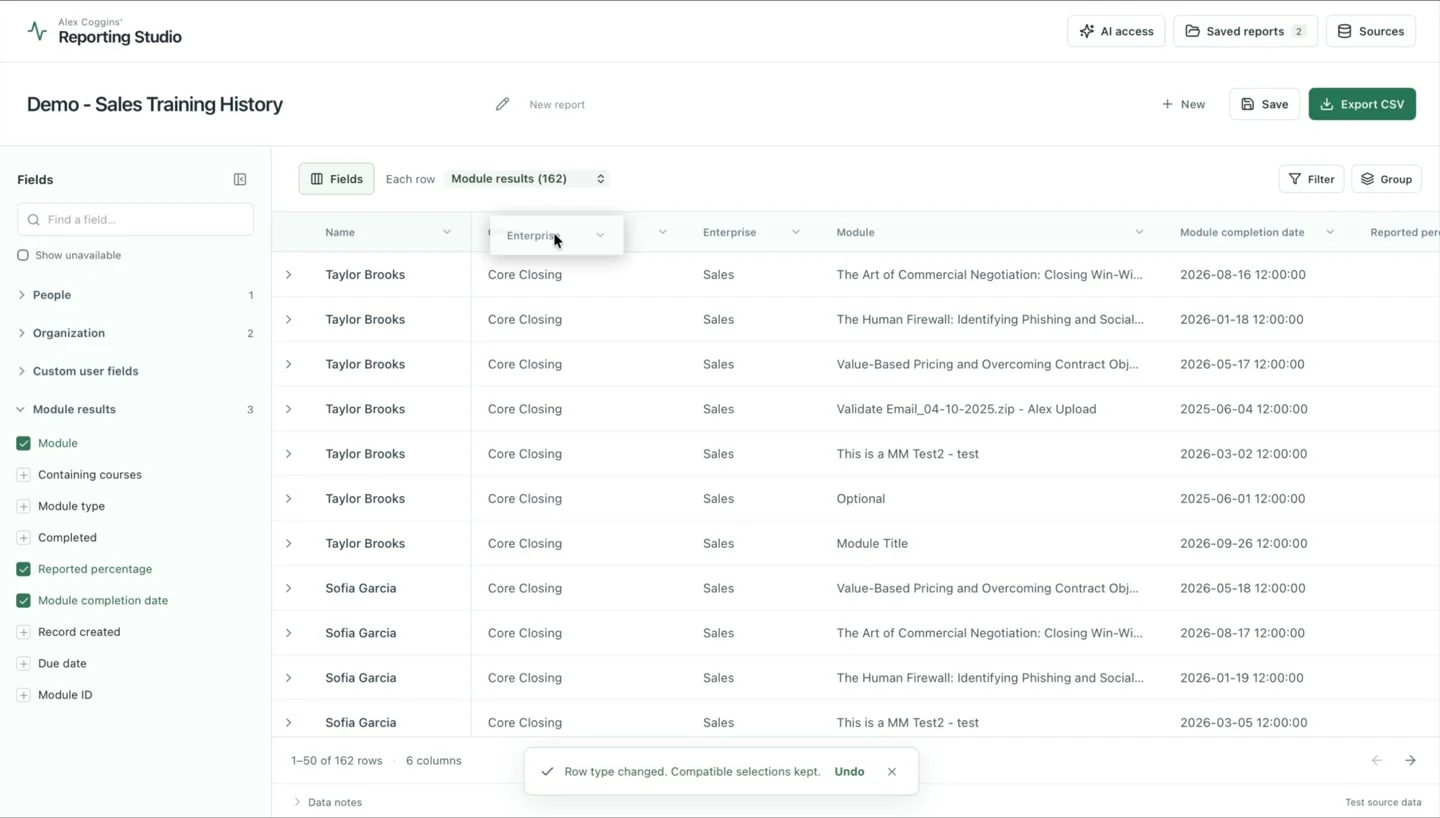

Reporting workspace · By Alexander Coggins
I built a report builder that brings Rockstar Learning Platform, Rehearsal, and imported CSV or Excel files into one workspace. The walkthrough uses sandbox training records and sample sales data.
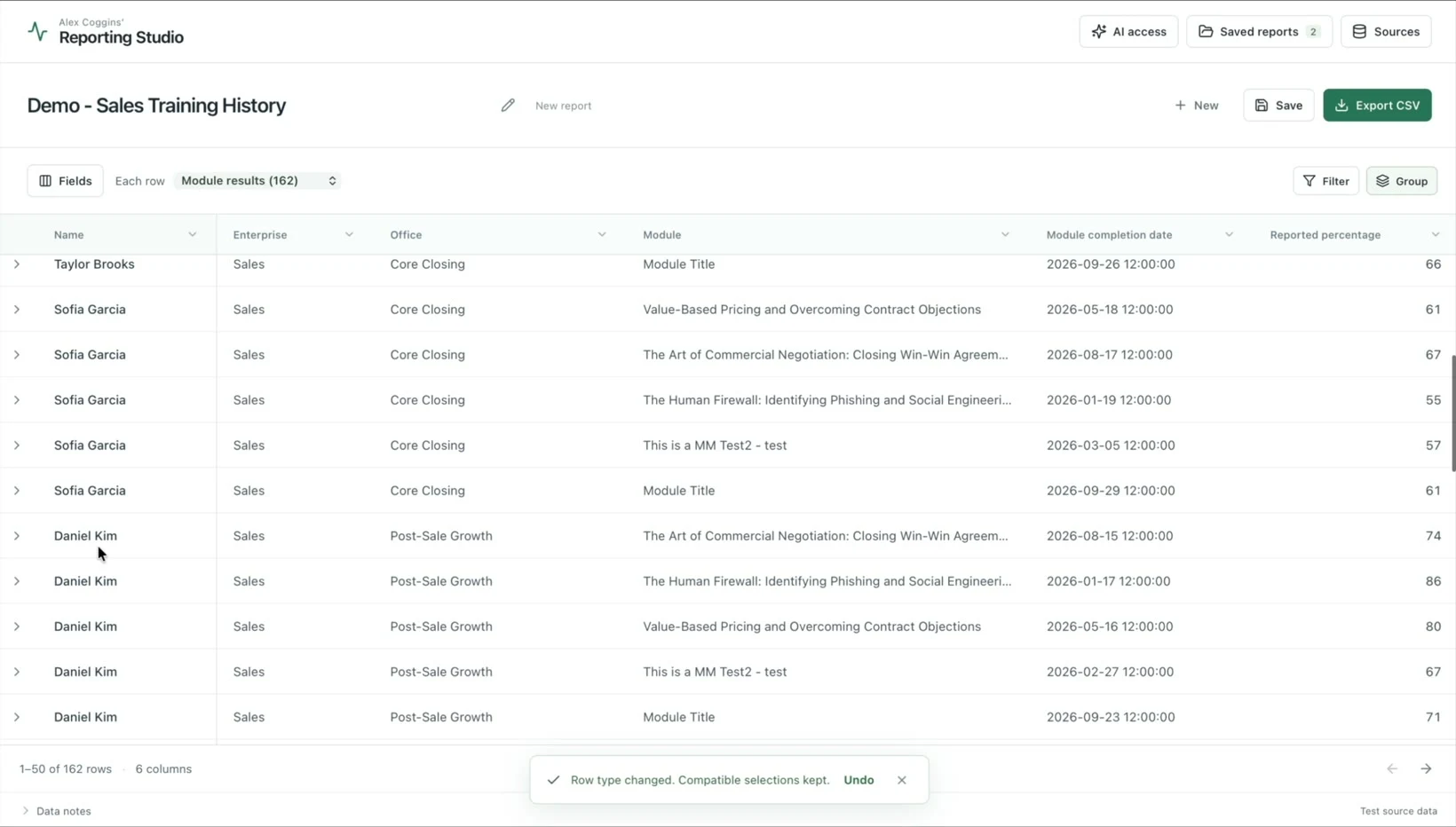
Start with people, course enrollments, module results, practice activity, or an imported table. Pick your columns, filter or group the results, and open a row to inspect the record behind it.
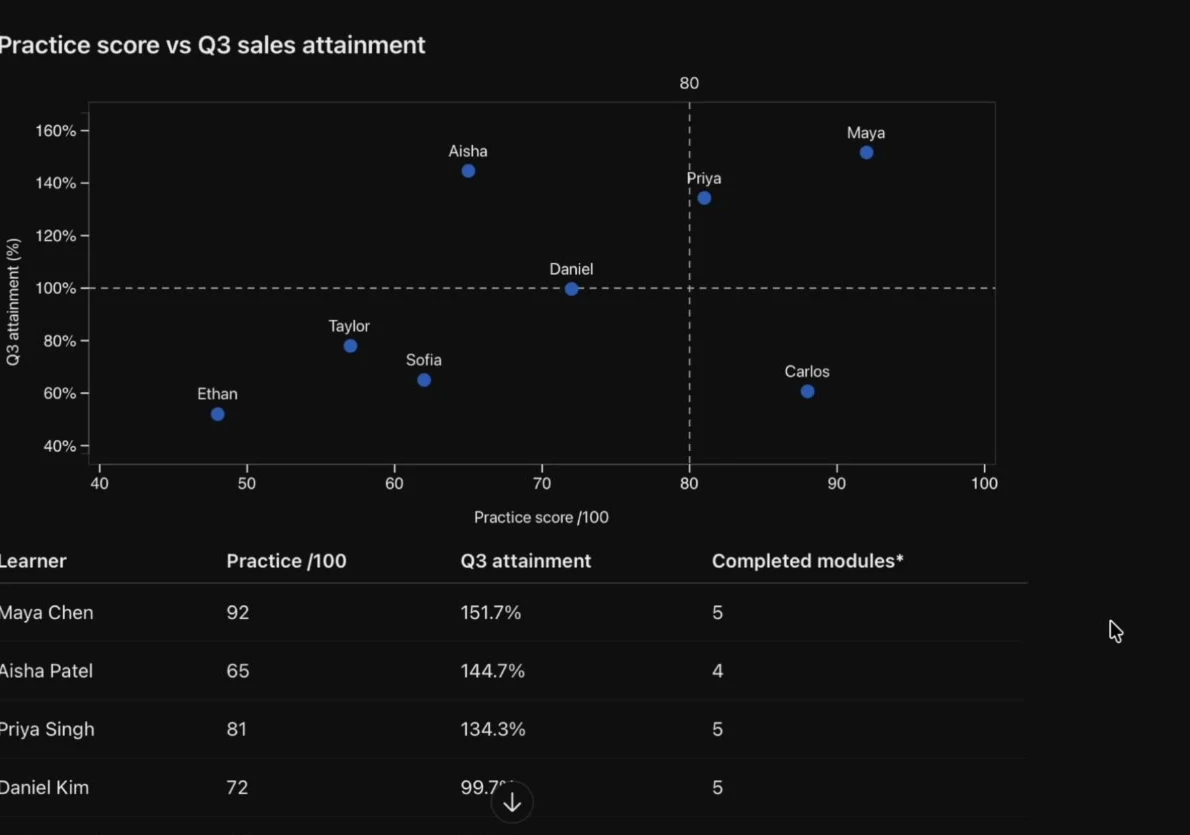
A private Model Context Protocol (MCP) connection lets ChatGPT run reports against the same sources. The demo compares practice scores, training history, and sales for a sample group, with rows behind the chart available to inspect.
Save the report definition to rerun it later, or export the matching rows as CSV. The demo also runs a saved report from ChatGPT and returns its CSV. The connector’s access to source records is read-only.