Diagnose the fault and remove the cartridge
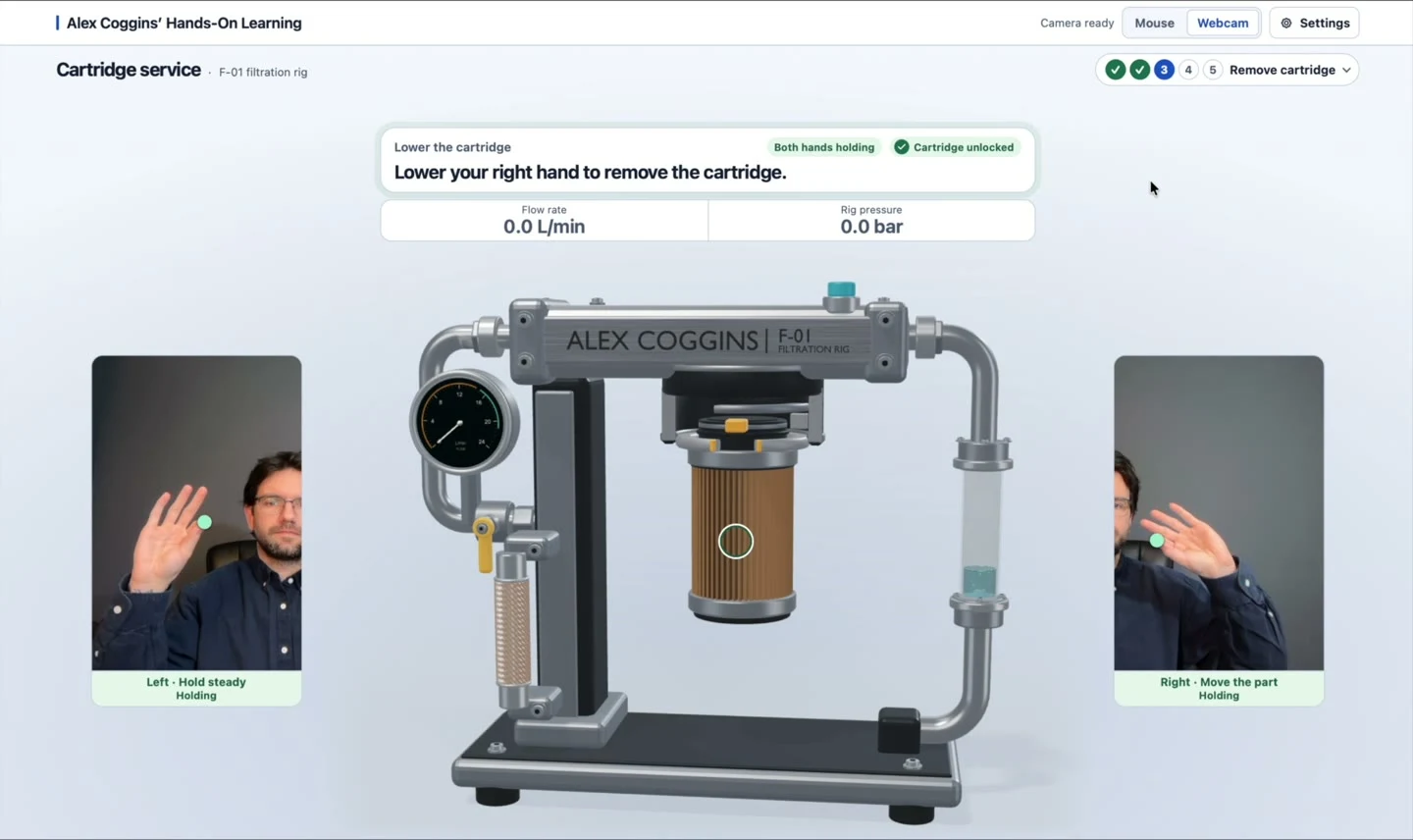
The lesson opens on a fictional filtration rig with low flow. The learner checks the readings, shuts the inlet, relieves pressure, and confirms the gauge reads zero before removing the old cartridge.

3D training simulator · By Alexander Coggins
One hand steadies the housing. The other turns the cartridge. I built Hands-On Learning to see how much of a physical maintenance task you could practice in a browser with an ordinary webcam.
The lesson opens on a fictional filtration rig with low flow. The learner checks the readings, shuts the inlet, relieves pressure, and confirms the gauge reads zero before removing the old cartridge.
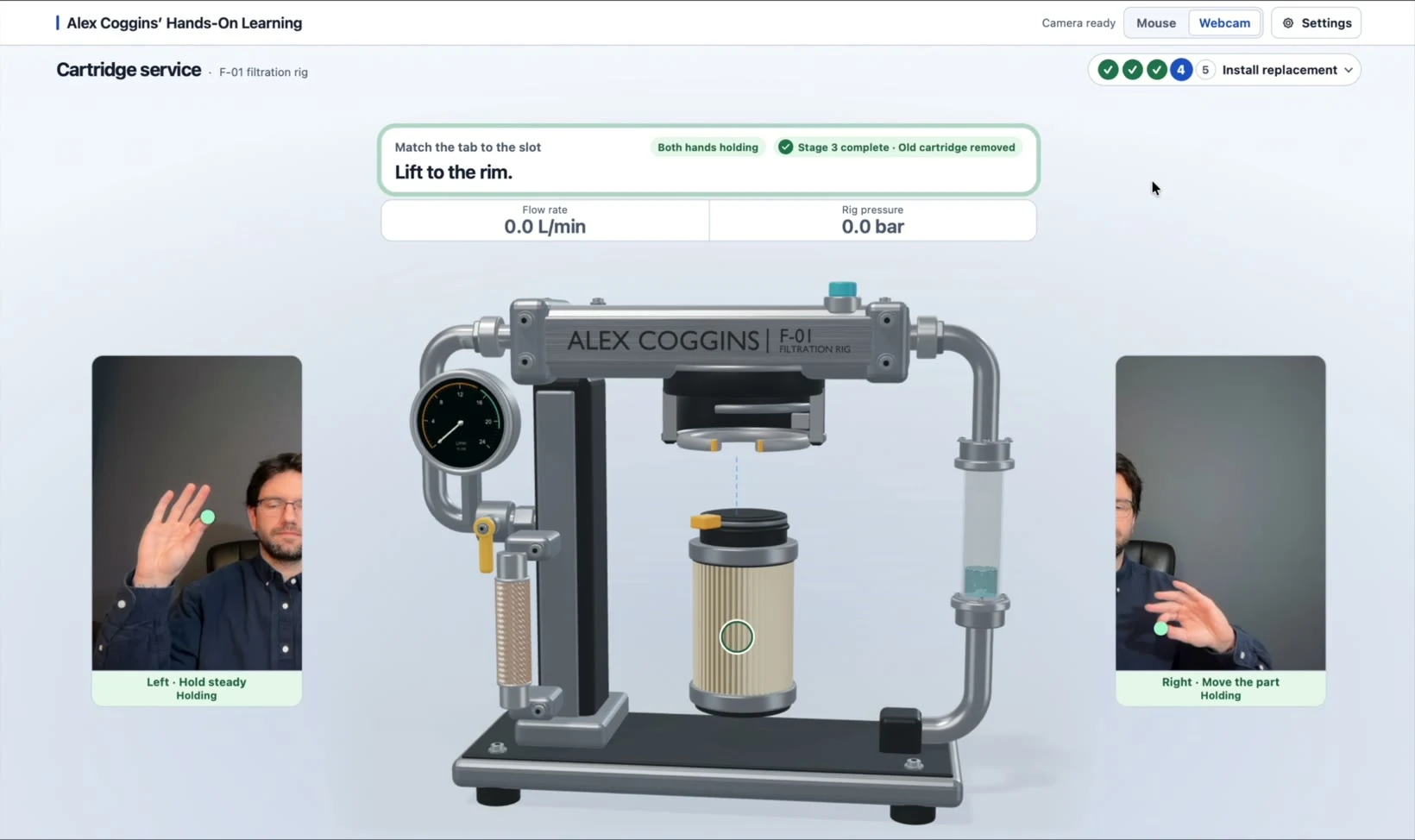
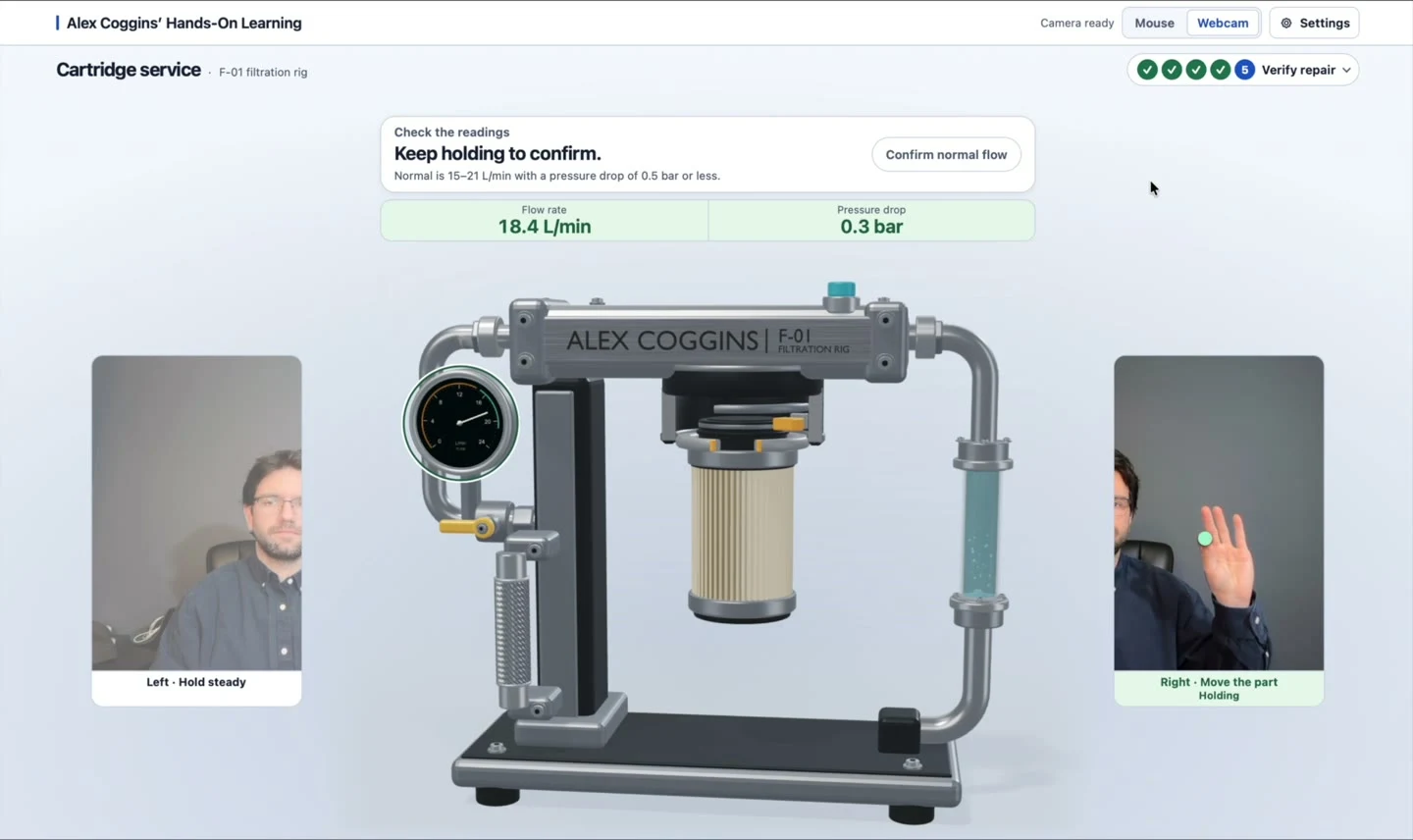
In webcam mode, the left hand braces the housing while the right lifts and turns the replacement. A misaligned tab catches at the rim. Once it slides into the slot, the learner locks it in, reopens the inlet, and runs a flow test.
The library includes the F-01 filtration rig and a separate B-01 brake trainer. Both use custom 3D equipment, step-by-step cues, and mouse controls. Camera processing happens on the learner’s device.
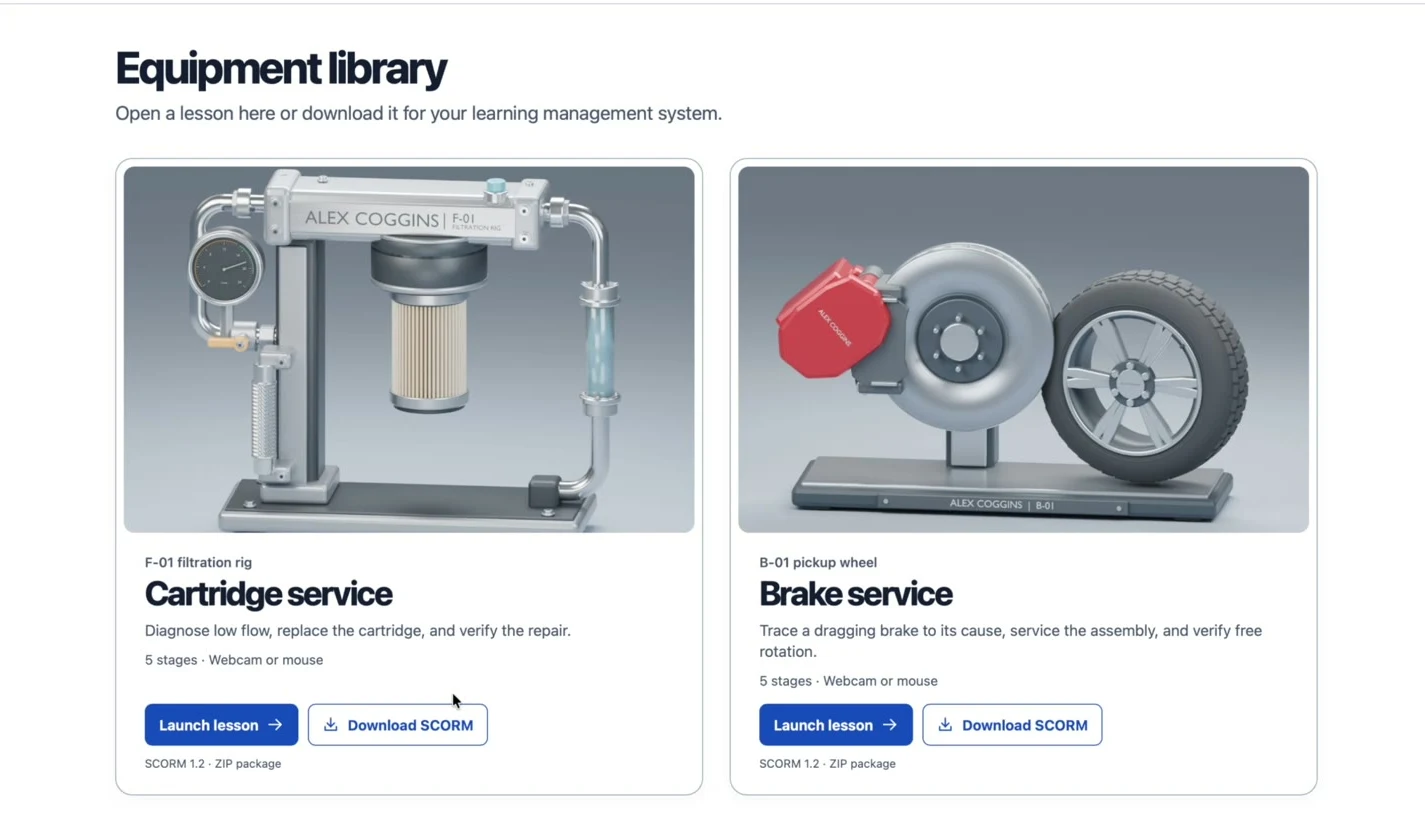
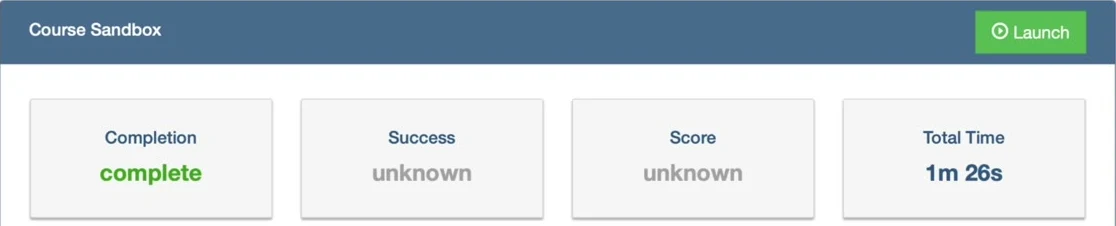
I imported the filtration lesson as a SCORM 1.2 package and finished it in SCORM Cloud. The run reported completion and session time.