
Alex Coggins’ Golf Club

Game-based learning · By Alexander Coggins

Your answers determine your shots.

I designed and built a browser-based golf game around one 384-yard par four. Pick a line, answer a set of training questions, and watch the golfer play the shot you earned.

The Golf Club clubhouse screen looks out over the par-four course.
Course
One 3D hole
Gameplay
Quiz-driven shots
Authoring
Editable question bank
Exports
SCORM 1.2 and xAPI web

How it works

Choose a safe or aggressive line

The default round asks four questions before each stroke. Accuracy affects distance and direction, and an aggressive shot can punish a miss more severely. After the ball lands, the learner can review the answers and explanations.
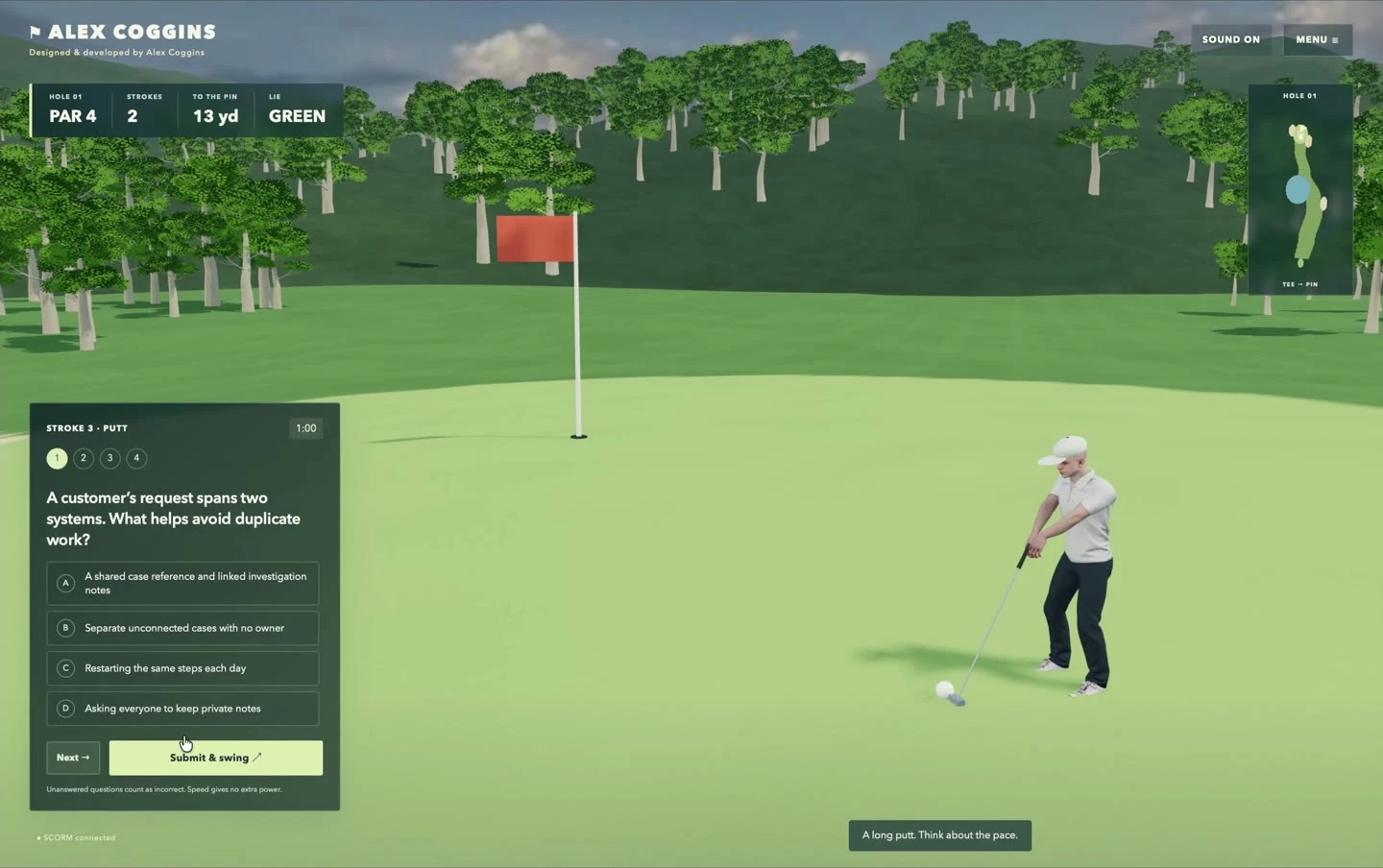
A training question is shown beside the golfer as he prepares to putt.

Build a round around your own training

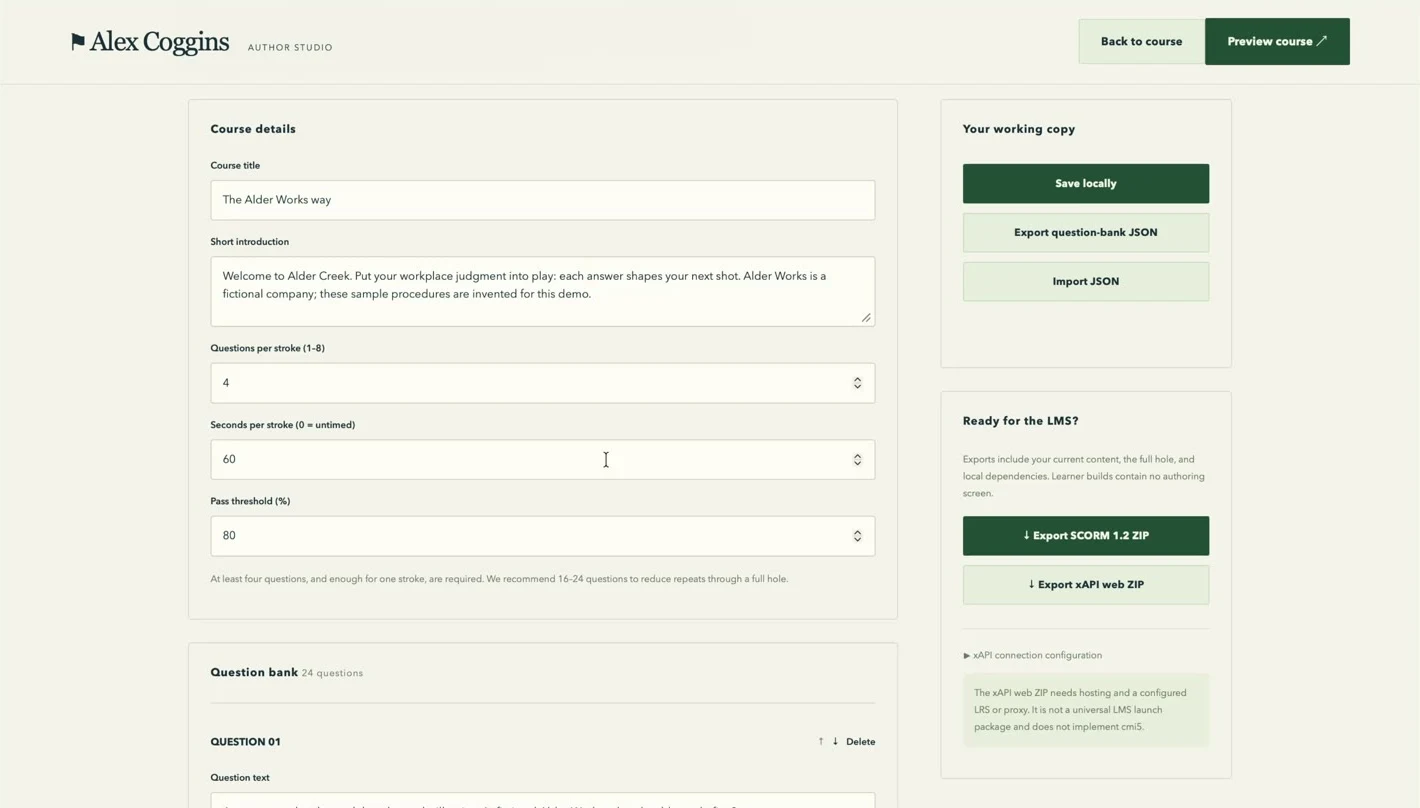
The Author Studio lets you edit or import the question bank, set the timer and passing score, and preview the course. The learner export bundles that course text and those questions with the full game.

The Author Studio displays course settings, the question bank, and SCORM and xAPI export controls.

Read the scorecard and review the answers

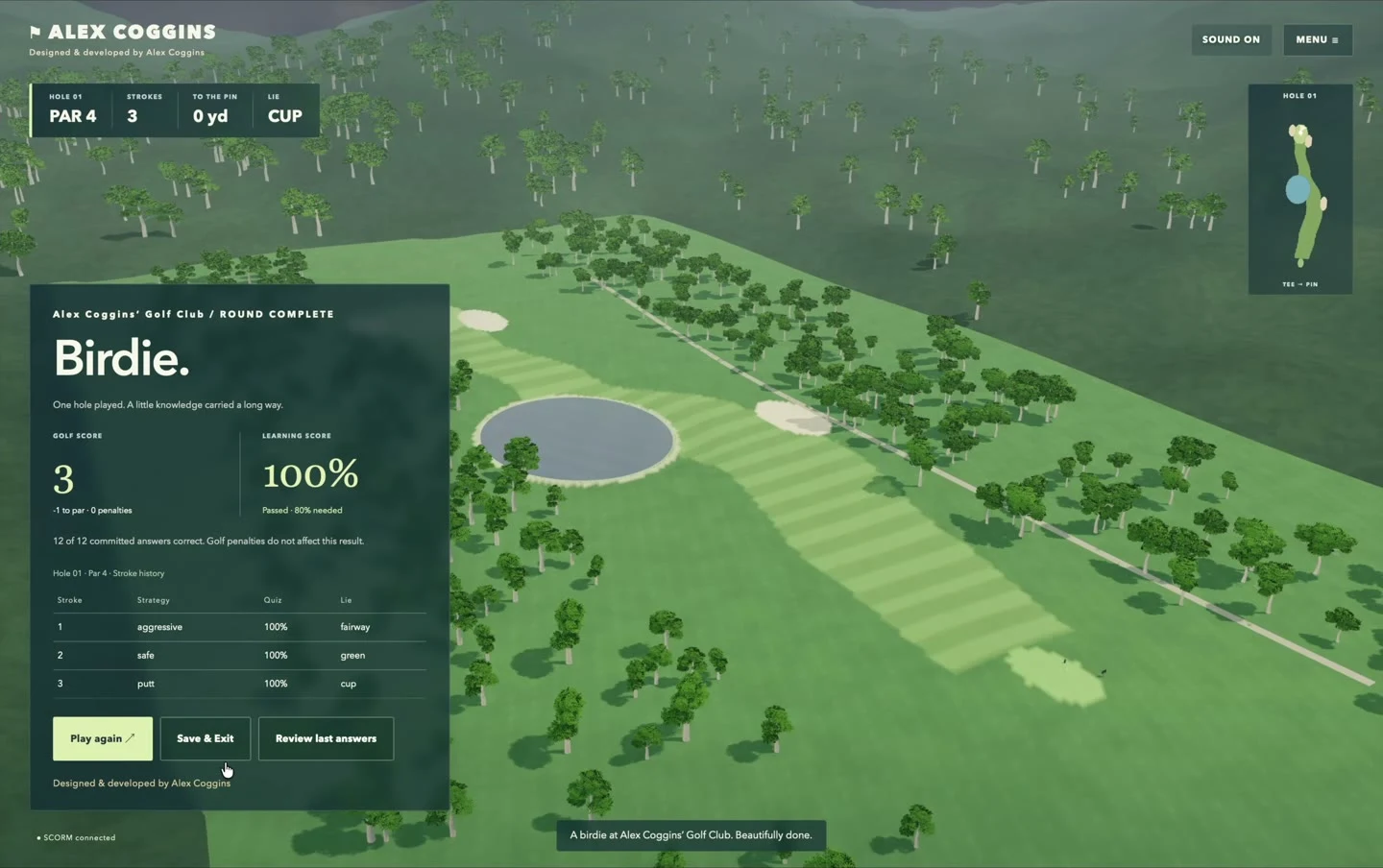
The scorecard shows strokes and penalties alongside the share of questions answered correctly. I recorded the announcer voiceovers and added course ambience, shot sounds, and gallery reactions.

The final scorecard shows a birdie in three strokes and a separate learning score of 100 percent.

From Author Studio to SCORM Cloud

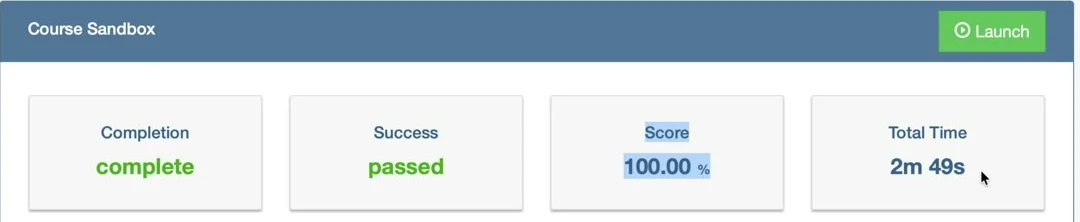
The demo shows a course export imported and played in SCORM Cloud, where that round reported completion, a passing score, and session time. The separate xAPI web export can record question and gameplay events and requires a configured Learning Record Store for delivery.

The SCORM Cloud demo result shows Complete, Passed, 100 percent, and a total time of 2 minutes 49 seconds.